Tool tracking & safety inspections
Know where every tool is, and that it's safe to use.
Track tools across yards, jobsites and trucks, and keep harnesses, extinguishers and ladders inspected on schedule. Crews do it all from their phones, even offline.
14-day free trial. No credit card required.
- Unlimited Assets
- Unlimited Users
- Unlimited Locations
Trusted by contractors, builders and service teams








One app for the tools and the paperwork
Track tools and equipment through the job, and keep the safety gear inspected and on record.
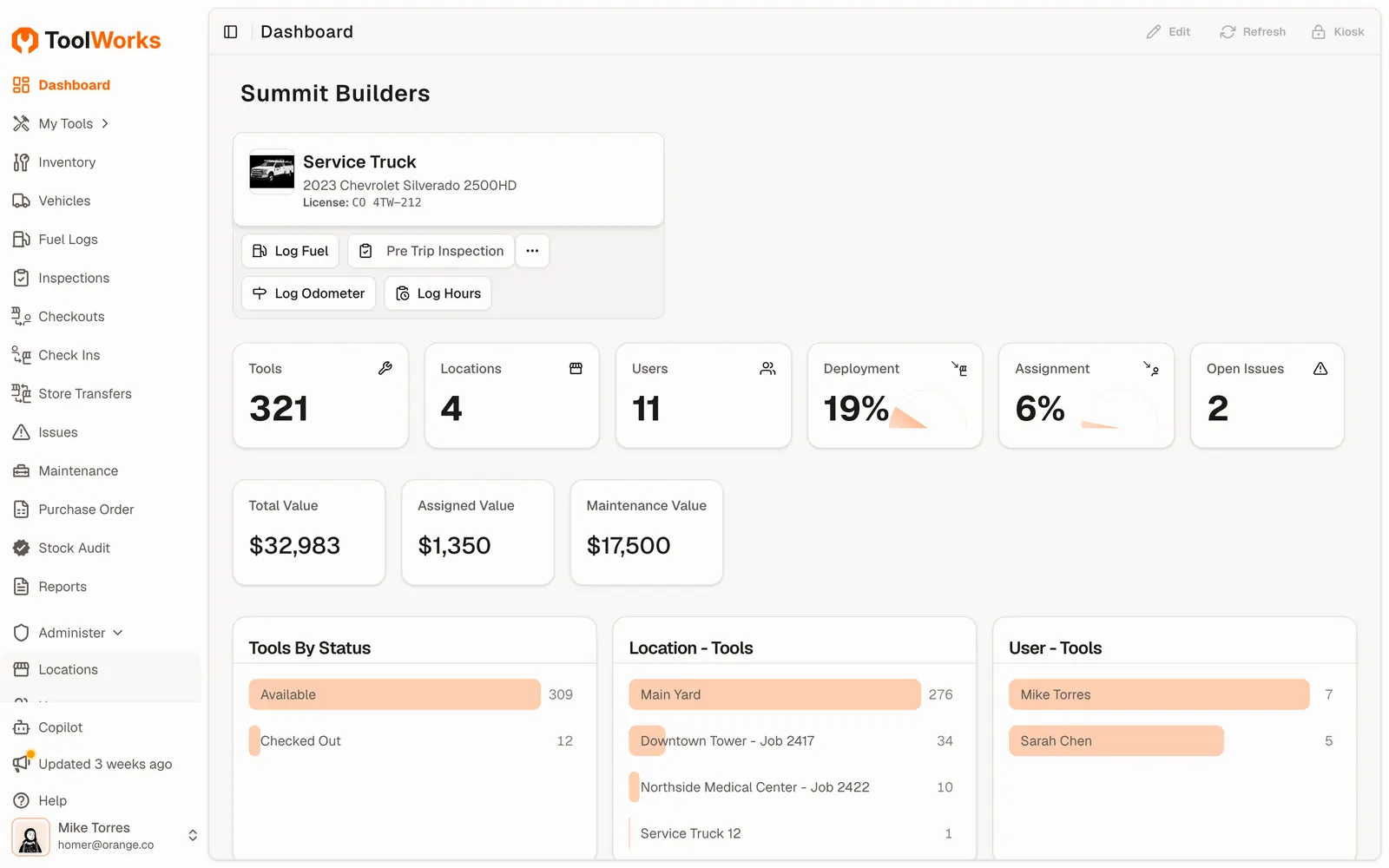
Know where every tool is and who has it
Inspections you can show an auditor
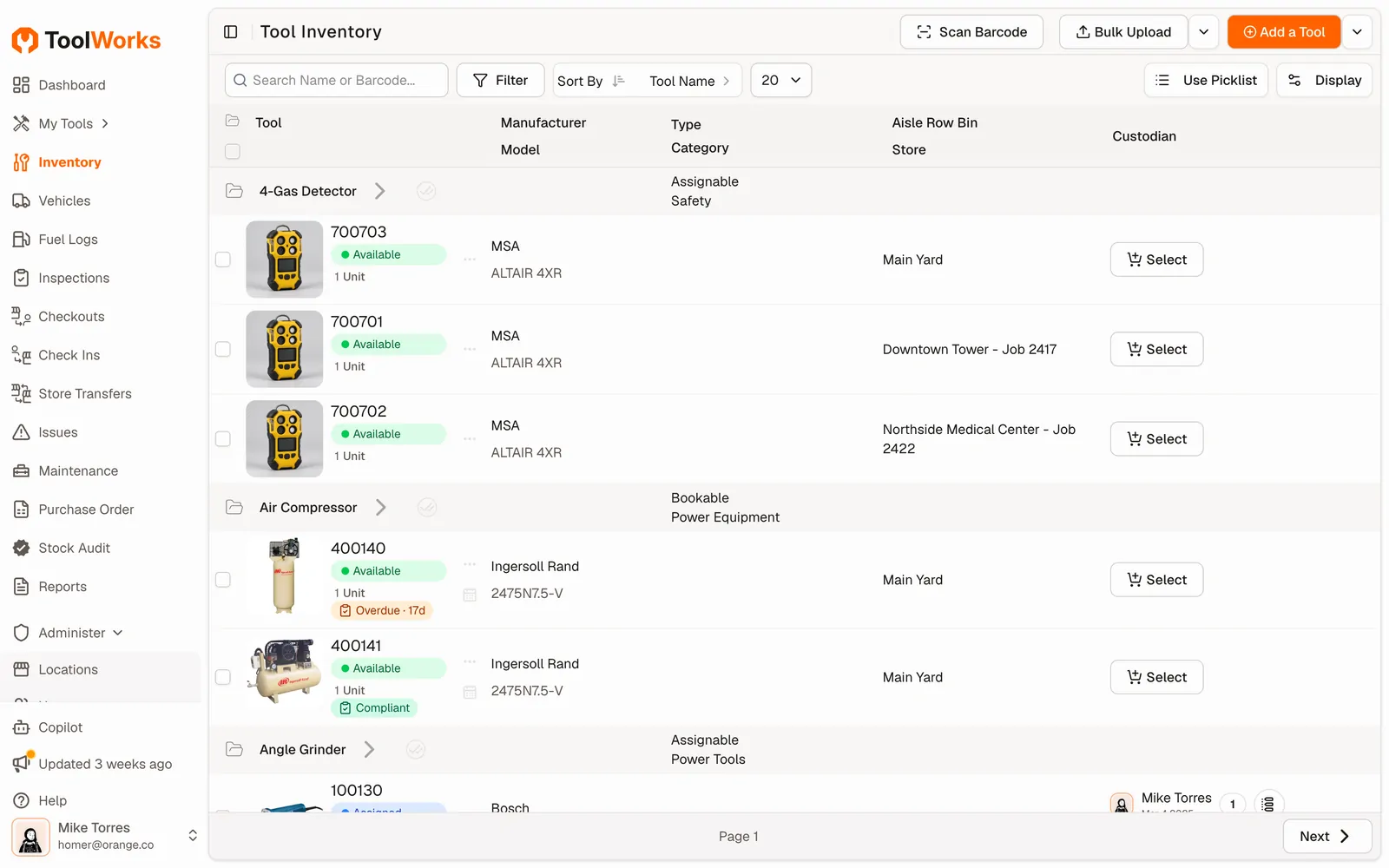
Tool tracking
Stop losing tools between the yard and the jobsite
Find any tool in seconds
See where every tool is, who has it and when it’s due back.
Cut loss and hoarding
Every checkout is tied to a person, so tools come back and crews stay accountable.
Buy only what you need
Accurate counts across locations stop duplicate purchases.
One view across yards, jobs and trucks
Transfer tools between locations and keep the whole company on one inventory.
Field & mobile
Built for crews, not just the office
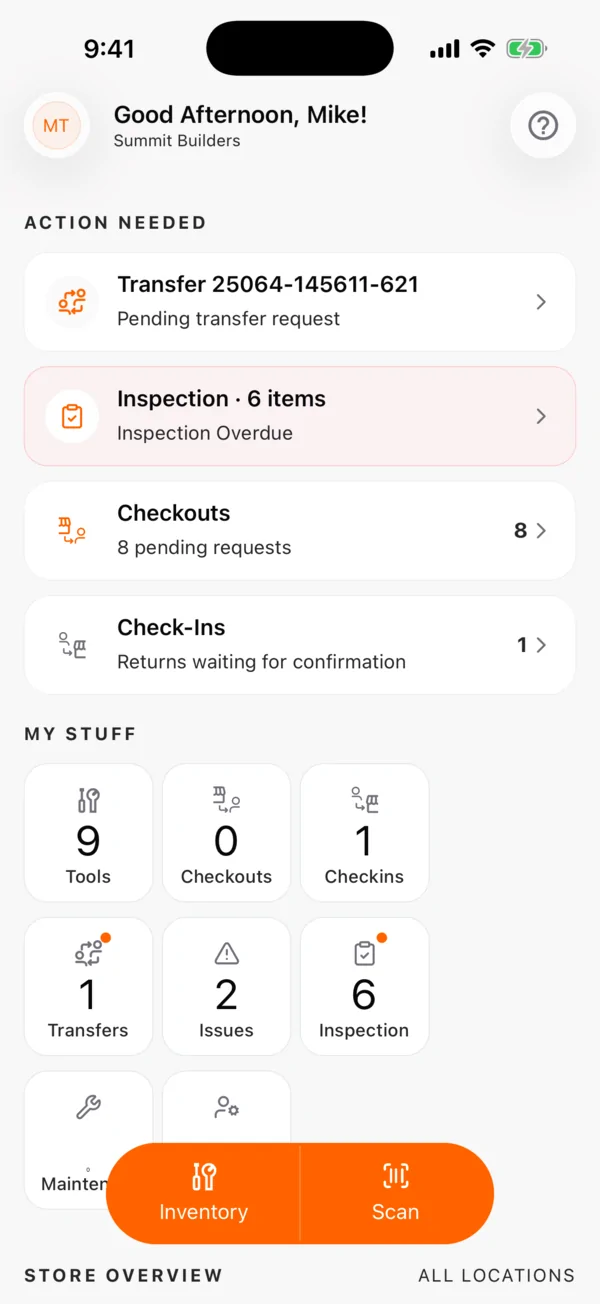
The ToolWorks app puts checkouts, transfers and inspections in every pocket, with or without signal.
Scan to check out and check in
Barcodes, QR codes, RFID and external scanners. No typing.
Works offline
Basements, tunnels and remote sites. Everything syncs when the signal returns.
Self-service kiosk
Run the tool room around the clock: crews badge in, scan and go.
Field transfers
Hand a tool to a coworker on site and custody follows it.
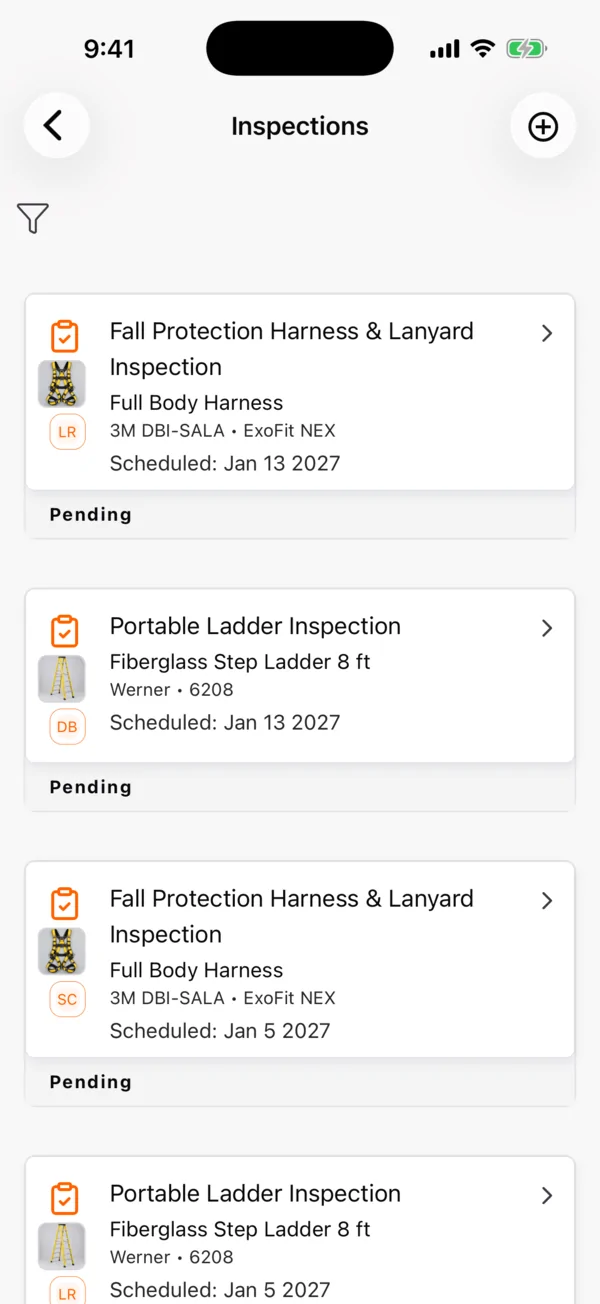
New · Compliance & safety inspection
Every extinguisher, harness and ladder inspected on time
Put safety equipment on a schedule, inspect it from the phone and keep a record that holds up in an audit.
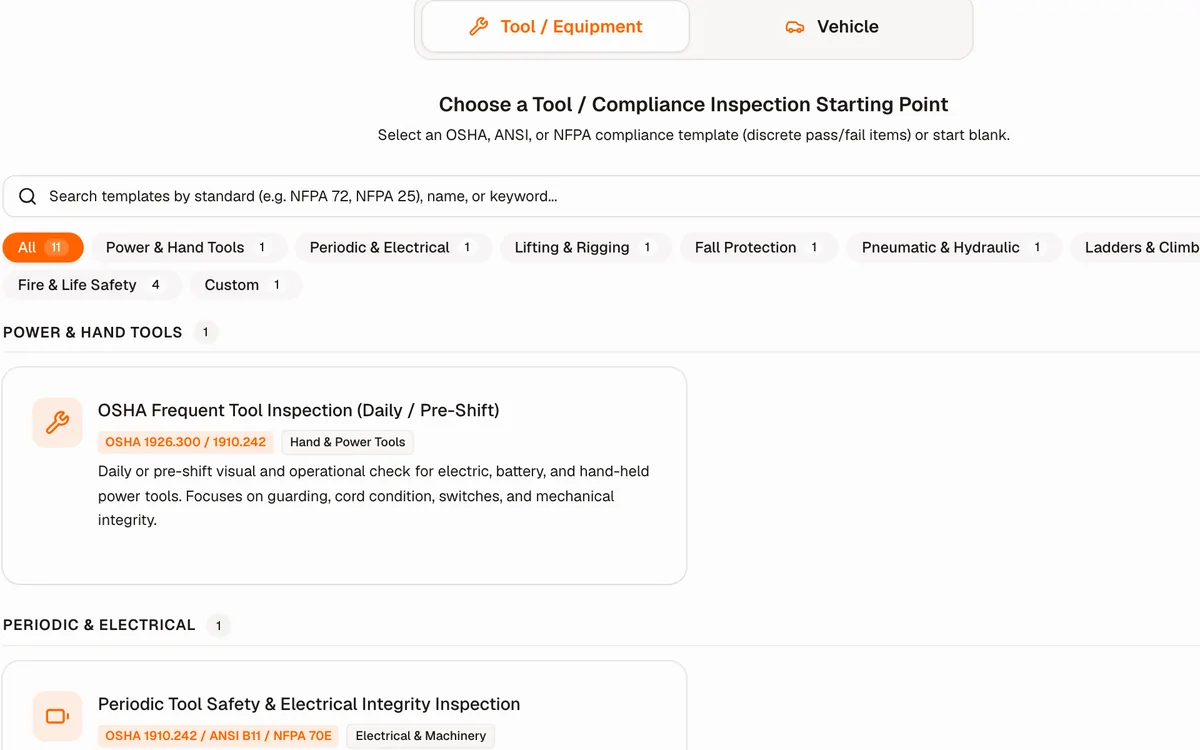
Start from OSHA, ANSI and NFPA presets
Fire extinguishers (NFPA 10), fall protection (ANSI Z359), ladders, rigging and more, ready to edit.
Due, overdue and done at a glance
Recurring schedules per unit. Overdue inspections land on the inspector’s home screen.
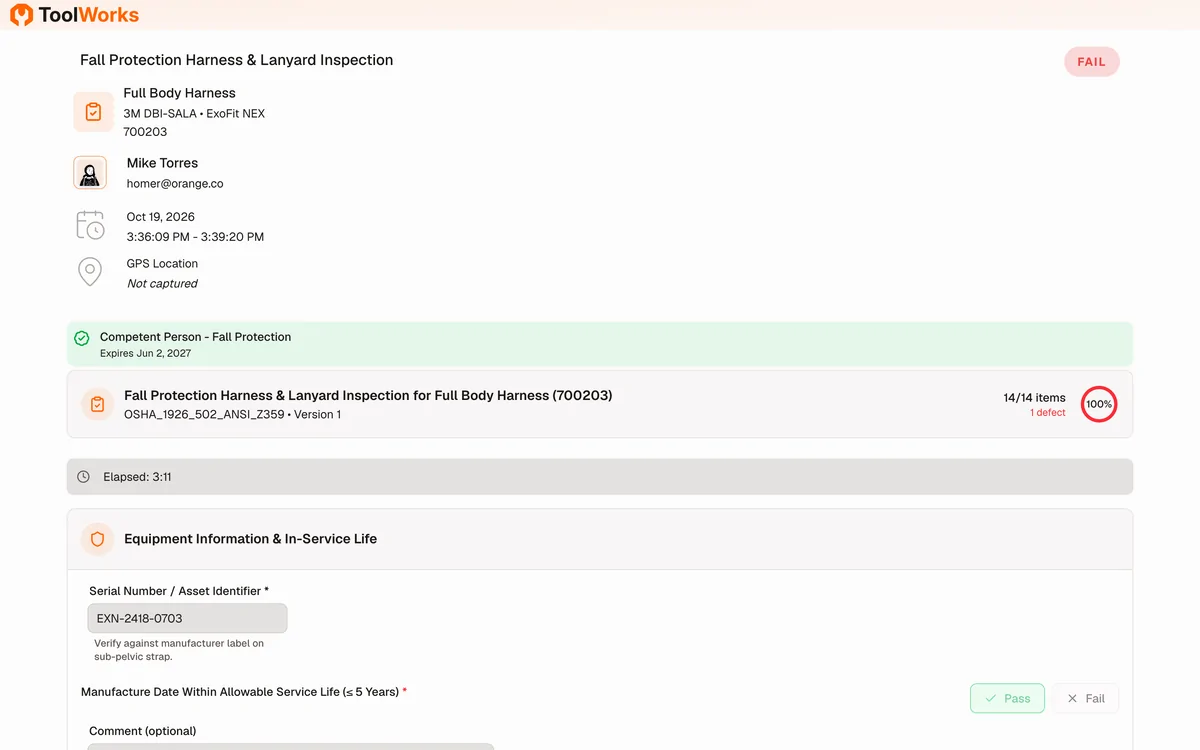
Failures with evidence
Record failure reasons, severity and photos. Failed gear goes out of service and can’t be checked out.
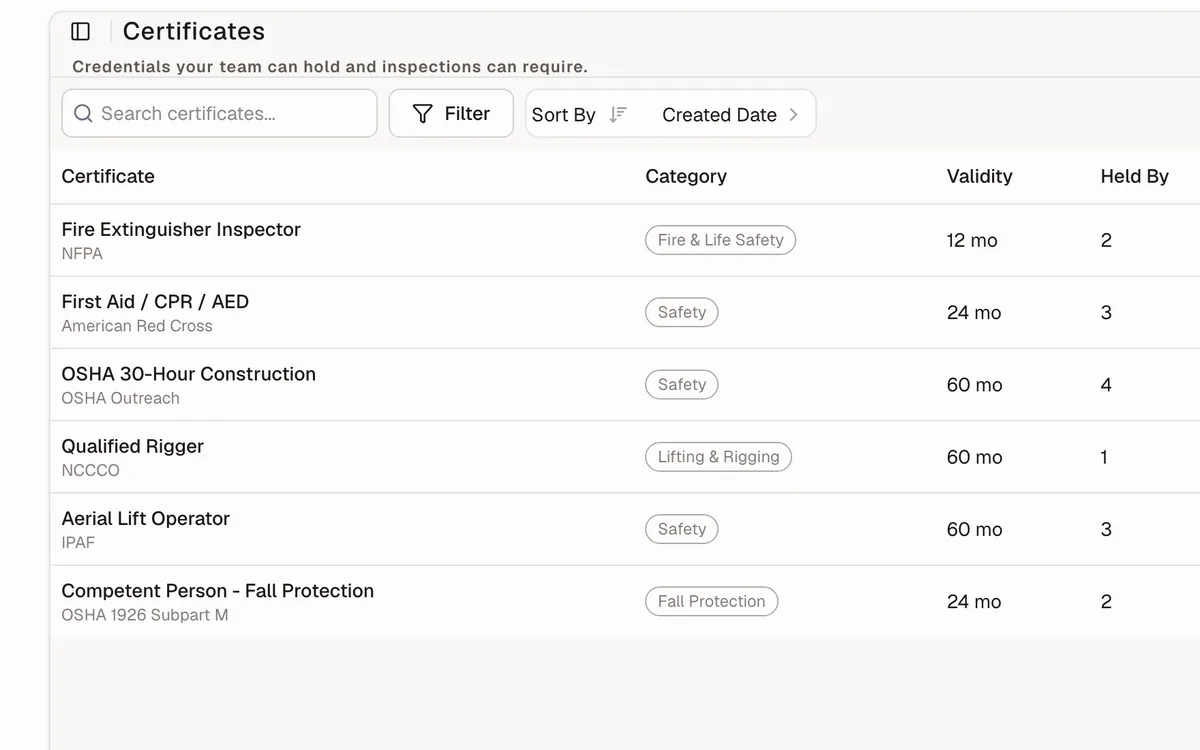
Qualified inspectors only
Track certifications and expiry dates; ToolWorks warns before an unqualified inspection.
Signed, shareable records
Signature, timestamps and results in a PDF or a link you can send to an auditor or GC.
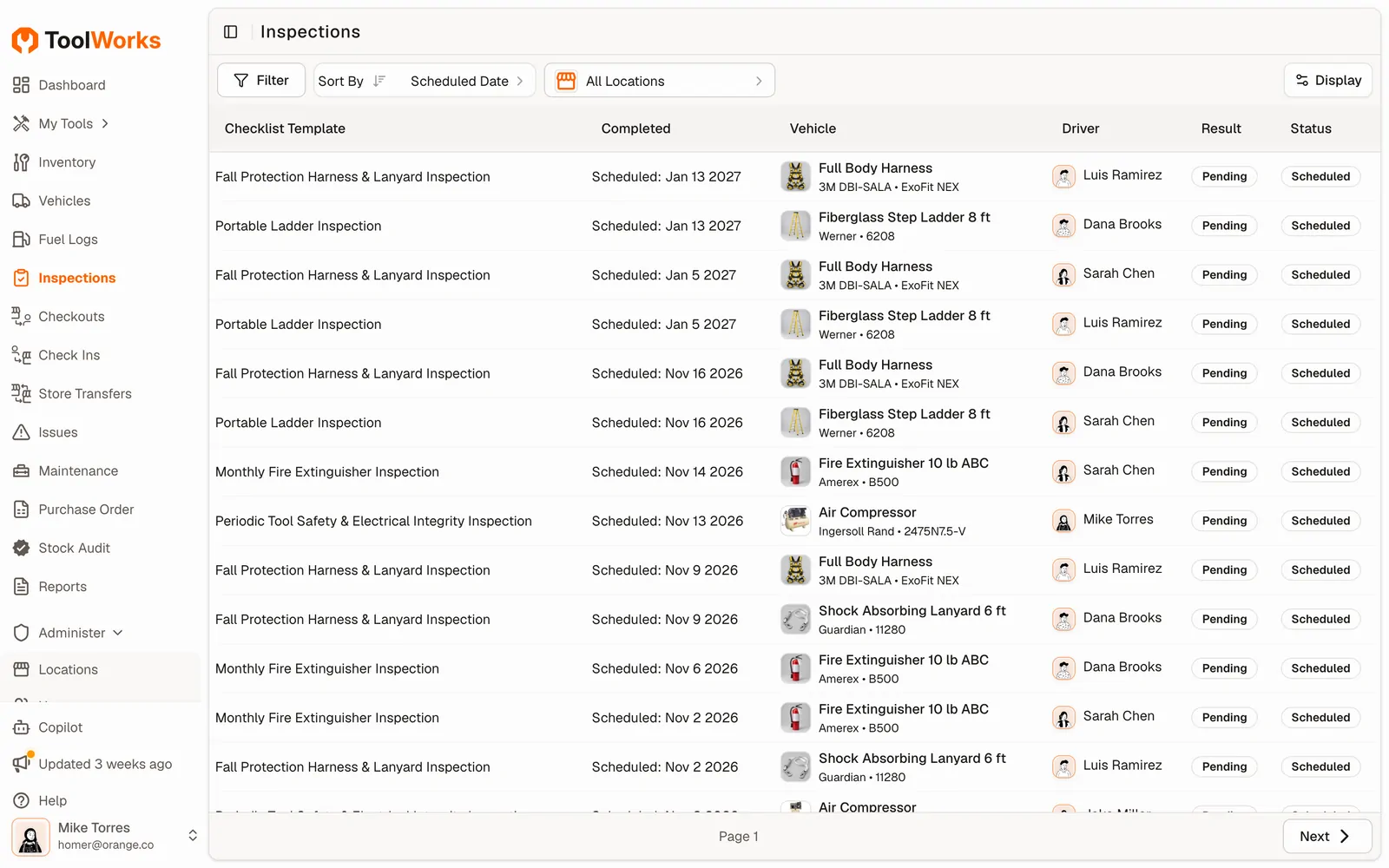
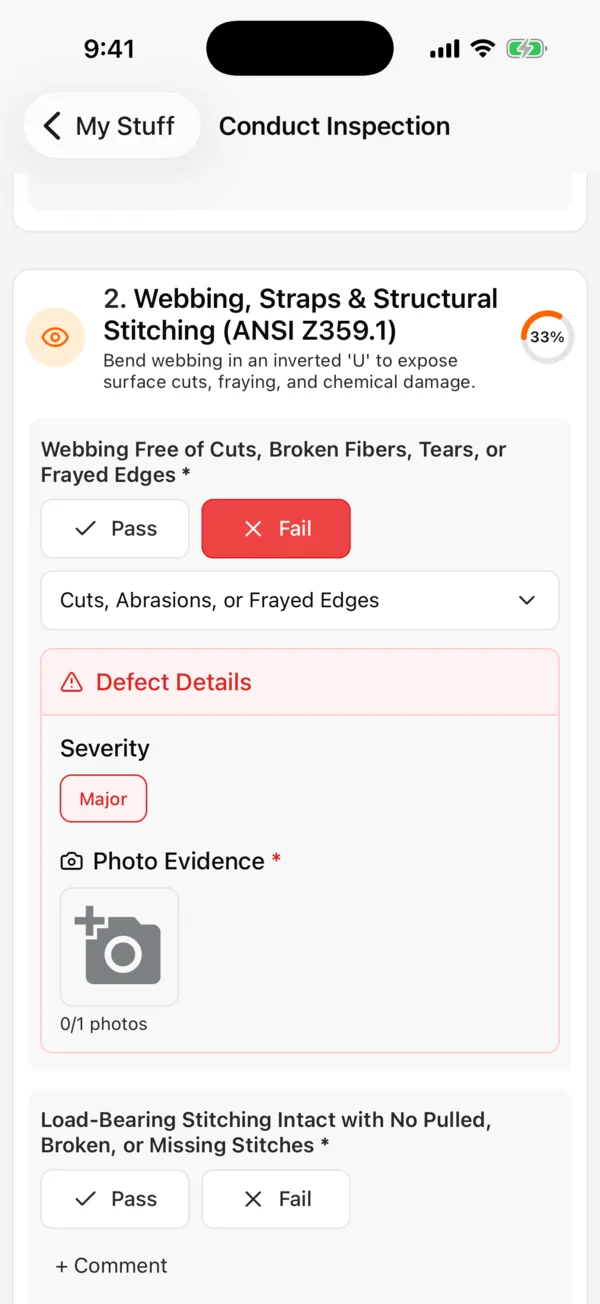
One connected inspection workflow
- 1Schedule the check
- 2Scan & inspect
- 3Fix what failed
- 4Share the signed record
ToolWorks helps you run and document your inspection program. Your team decides which standards and checklists apply to your equipment and sites.
Got a few trucks?
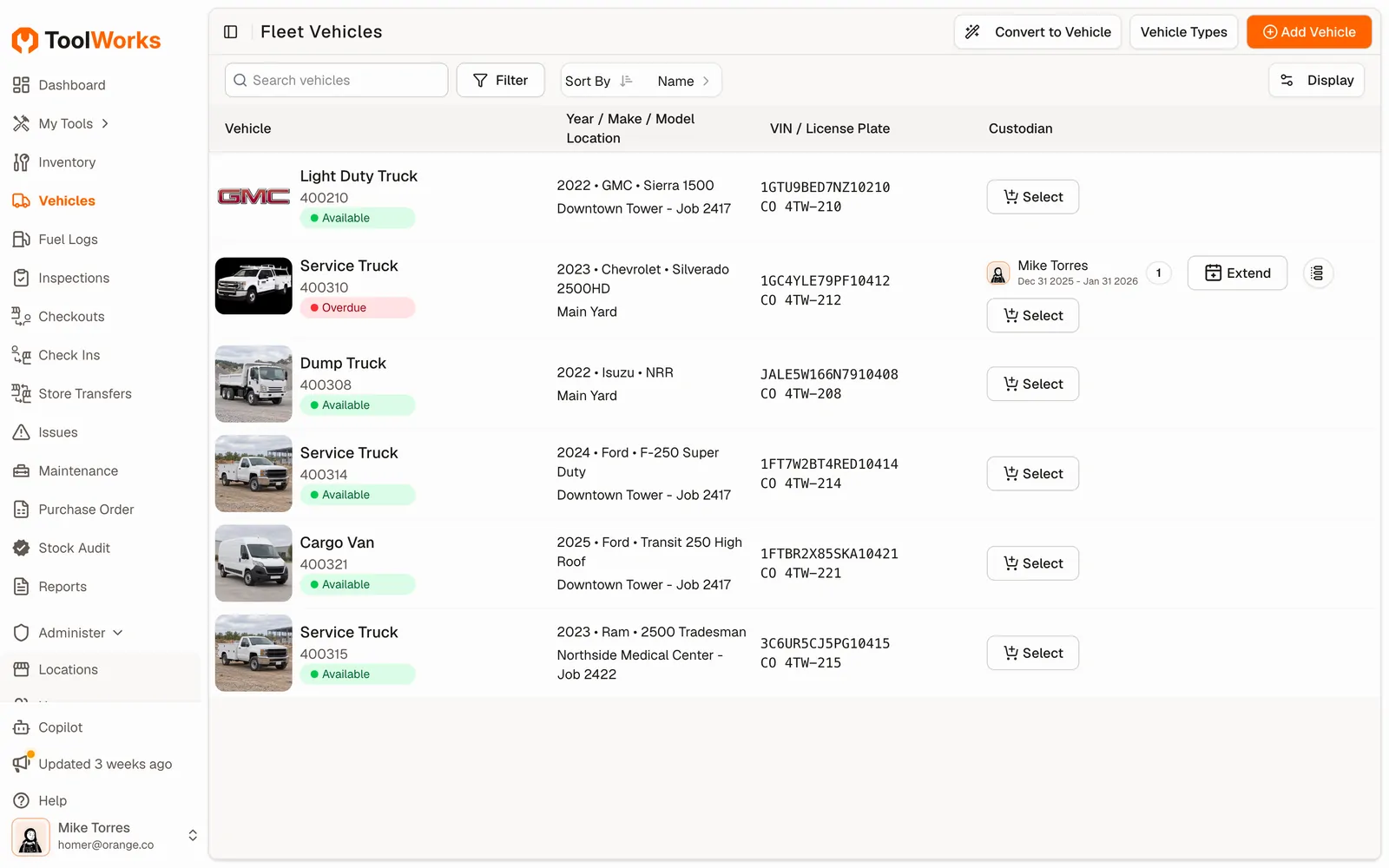
Keep the trucks, and the tools on them, in the same app
For contractors running a handful of service trucks who don’t need a full fleet platform.
Pre-trip DVIR on the phone
Zone-by-zone pre-trip and post-trip checks, with defects flagged before the truck leaves the yard.
Fuel logs from a receipt photo
AI reads the receipt and logs the fill-up.
Maintenance and mileage
Preventive maintenance schedules and odometer logs for every vehicle.
Know what’s on each truck
See the tools on each truck next to its inspections, fuel and service history.
Built for
Teams whose tools leave the building
Construction is where we started. The same tracking and inspections work wherever crews share equipment.
Construction
GCs and subs tracking tools across yards, jobsites and trucks.
Landscaping
Mowers, trimmers and small engines checked out to crews every morning.
Truck & service fleets
Service trucks, the tools on them, DVIRs and fuel in one place.
Industrial safety
Fire extinguishers, fall protection, gas detectors and ladders on schedule.
AI built in
Less typing, more doing
Snap To Add
Photograph a tool and AI fills in the make, model and category.
Bulk Photos to Tools
Turn a folder of tool photos into an inventory in minutes.
Fuel Tracking with AI
Snap the fuel receipt; date, gallons and cost fill in for you.
Help Copilot
Ask how to do something in plain English and get the steps.
Why ToolWorks
Built for the field, not the back office
Spreadsheets can't keep up with tools that move every day, and enterprise suites take months to roll out. ToolWorks sits in between.
| Capability | Spreadsheets & paper | CMMS / EHS suites | ToolWorks |
|---|---|---|---|
| Who has each tool | Whoever updated the sheet last | Rarely the focus | Scan to check out; custody history on every tool |
| Safety inspections | Paper tags and binders | Yes, after heavy setup | OSHA, ANSI and NFPA presets on the phone |
| Inspector certifications | A separate spreadsheet | Often an add-on module | Built in; warns before an unqualified inspection |
| Field crews | Call the office | Desktop-first | iOS and Android apps that work offline |
| Getting started | Instant, and messy | Weeks of configuration | Same day, with free onboarding |
| Pricing | Free until something goes missing | Per seat, by quote | Flat monthly plans with unlimited users |
See detailed comparisons or read customer stories.
What's included?
Dashboard
A powerful tool for proactive management and informed decision-making. With its centralized view, actionable insights, and seamless navigation, you can optimize your asset utilization, streamline workflows, and ultimately save time and money.Learn More ->Centralized Asset Catalog
A virtual hub where every tool within your organization is meticulously cataloged and easily accessible. Empowers you to gain insights, track assignments, and make informed decisions with just a few clicks.Learn More ->Asset Types
Whether you are handling high-value tools, bulk items, consumables, or equipment, ToolWorks ensures that your inventory is under your complete command.Learn More ->Field Portal
Field Portal feature empowers your field teams to manage their tools effortlessly, ensuring they have what they need, when they need it. Say goodbye to cumbersome paperwork and endless back-and-forth communications.Learn More ->Order Management
Streamlined handling field requests, order dispatch, walk-in orders and even tool check-in to make your tool tracking experience easier and more effective than ever beforeLearn More ->Multiple Stores + Transfers
Hierarchal store locations allowing you to model real world scenario, as well as letting you effortlessly transfer tools between stores, ensuring efficient inventory utilization and seamless operations.Learn More ->Purchase Orders
Utilize Digital Purchase Orders to buy tools and supplies from external vendors. It comes with approval workflow and includes automatic audits.Learn More ->Maintenance Management
Easily create and schedule maintenance service orders on the go. Just scan the equipment to service and start the work. Get notified when it is complete so that you can put equipment back in use!Learn More ->RFID Tracking
Efficiently keep track of your tools and equipment with RFID Tracking functionality. With in-built support for reading RFID tags using Smartphones, ToolWorks provides a flexible solution to track your assets on the go, wherever they are!Learn More ->GPS Tool Tracking
Utilize GPS Tool Tracking, which harnesses the power of GPS technology to provide accurate location data for your tools. This innovative solution streamlines tool management, boosts productivity, and minimizes tool loss, ultimately saving you time and money.Learn More ->Scan And Go Transfer
With Scan and Go, ToolWorks has introduced an efficient new way to transfer tools between locations. By enabling quick on-the-spot scanning, it removes friction from the transfer process for both users and store owners. This feature helps streamline operations by getting tools where they need to be fasterLearn More ->Plus a Lot More
Lots of features, including Asset Depreciation, Reports, User management, System Configuration.Learn More ->
Ready to see where your tools are?
Unlimited users, assets and locations. 14-day free trial with free onboarding, no credit card required.
Start free trialCompliance
Picklist
Enhanced Assigned Tools Report
Enhanced Help Copilot
Refreshed UI